Community Sources is a Bloomiro dashboard (and MCP) view of the third-party pages AI answers already cite for your saved prompts: Wikipedia, Reddit, Quora, YouTube, Facebook, LinkedIn, and review directories like G2 and Capterra.
It does not invent new citations. It reads the source URLs from your latest completed AI presence run, groups them into those platforms, and shows what to open next.
Quick answer
| Question | Short answer |
|---|---|
| What is Community Sources? | A view of community and reference pages AI already cites for your prompts |
| What platforms are tracked? | Wikipedia, Reddit, Quora, YouTube, Facebook, LinkedIn, and G2/Capterra-style reviews |
| Unique pages vs citations? | Pages = distinct URLs. Citations = how many checks cited them |
| Does it replace Prompts? | No. It is derived from the same AI presence run data |
| Can assistants read it? | Yes. Connect Bloomiro MCP and ask for Community Sources |
Why this page exists
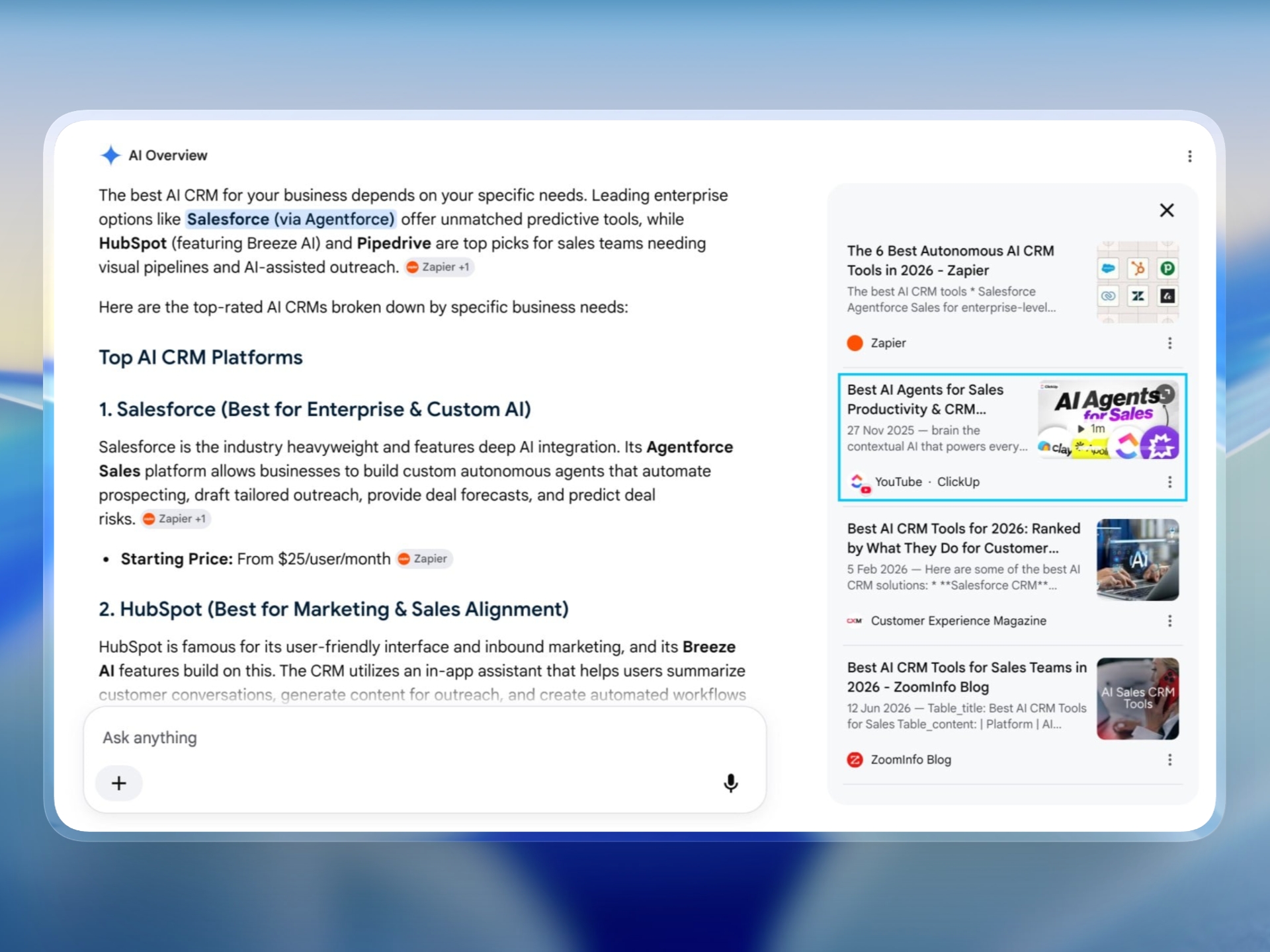
AI answers do not only cite your domain. They lean on threads, wiki pages, videos, social posts, and review listings as third-party proof.
Teams already see raw cited domains inside Prompts. That list mixes everything: docs sites, competitors, news, and community platforms. Community Sources is the filtered cut for the platforms where people actually discuss, define, and compare products.
If AI keeps citing a Reddit thread or a G2 category page for your buyer prompts, that is useful. You can open the page, see which prompts and models pulled it in, and decide whether to engage, improve your own listing, or publish something with clearer unique value.
What Community Sources shows
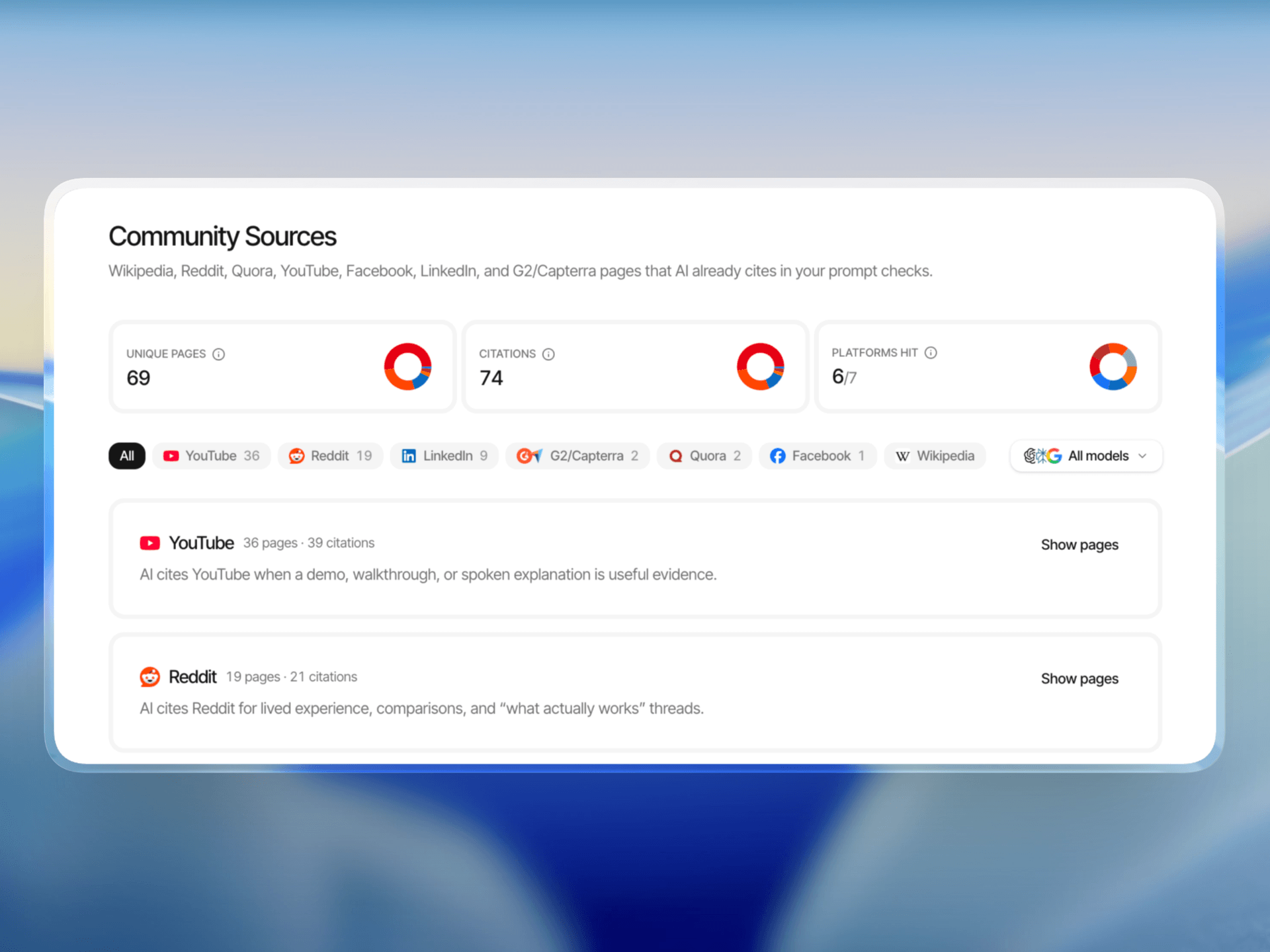
On the dashboard you get three compact stats, each with a pie that explains the number:
| Stat | Meaning |
|---|---|
| Unique pages | How many different community URLs showed up (each URL once) |
| Citations | How many times those URLs were used across prompt×model checks |
| Platforms hit | How many of the tracked platforms appeared at least once |
Example: one Reddit thread cited by ChatGPT and Perplexity is 1 page and 2 citations.
You can filter by platform and by model. Model filtering reaggregates in memory from the same run. It does not call paid APIs again.
Each platform section starts closed. Open “Show pages” when you want the URL list. If you click a specific platform tab (YouTube, LinkedIn, and so on), that section opens automatically. On All, sections stay closed.
Platforms we track
| Platform | Why it shows up in AI answers |
|---|---|
| Wikipedia | Definitions and entity basics |
| Lived experience and “what actually works” threads | |
| Quora | Question-shaped explanations |
| YouTube | Demos and transcript-backed how-tos |
| Occasional social discussion | |
| Company pages and professional discussion, especially B2B | |
| G2/Capterra | Review and directory proof for comparison prompts |
Reviews are one bucket on purpose. Comparison prompts often pull G2, Capterra, and similar directories together, so the dashboard treats them as one actionable group.
What is new in MCP
Community Sources is available through MCP as get_community_sources.
Assistants in Cursor, Claude, ChatGPT, and similar clients can pull the same Community Sources view without leaving your workflow. The tool is called get_community_sources.
You can ask for three kinds of answers:
| Ask for | What you get back |
|---|---|
| The overview | Totals, which platforms showed up, and counts by model |
| The page list | Specific URLs, how often they were cited, and which prompts pulled them in |
| One URL or one platform | A closer look at that page, or only Reddit / YouTube / LinkedIn / etc. |
In practice, that sounds like: “Show me our community sources overview,” “Which Reddit threads did AI cite for us?”, or “Look up this YouTube URL in Community Sources.”
It uses your latest completed Prompts run by default. You can narrow by model or platform when you need a tighter cut. It does not start a new paid crawl on its own. If the evidence is thin, run prompts again, then ask again.
Connect steps live on the MCP page.
What Community Sources does not do
Honest limits:
- It does not scrape Reddit, Wikipedia, or LinkedIn on its own. It only reads citations already returned in your AI presence checks.
- It does not promise that engaging on a thread will make the next answer cite you.
- It does not replace classic SEO or Search Console work.
- It does not replace Prompts / AI presence for brand mentions, sentiment, or visibility scores.
If your latest run has few community citations, the page says so. Run more comparison, experience, and definition-style prompts, then check again.
How to try it
- Open a project that already has a completed Prompts run.
- Go to Community Sources in the sidebar (marked New).
- Read Unique pages vs Citations with the info icons if the difference is unclear.
- Filter by platform or model, then open a section to inspect URLs.
- Or ask your MCP-connected assistant for a Community Sources overview.
If you have no completed run yet, set up prompts and run an AI presence check. Community Sources is derived from that evidence, not a separate crawl product.